Why Is My Minecraft Server Lagging? Step-by-Step Troubleshooting
Last updated: 2026-02-22 • Category: Minecraft server hosting
A diagnostic workflow to separate TPS lag, network lag, and client FPS issues.

1) First define what “lag” means
Players use “lag” to describe different issues. If you do not identify the symptom correctly, you will fix the wrong thing.
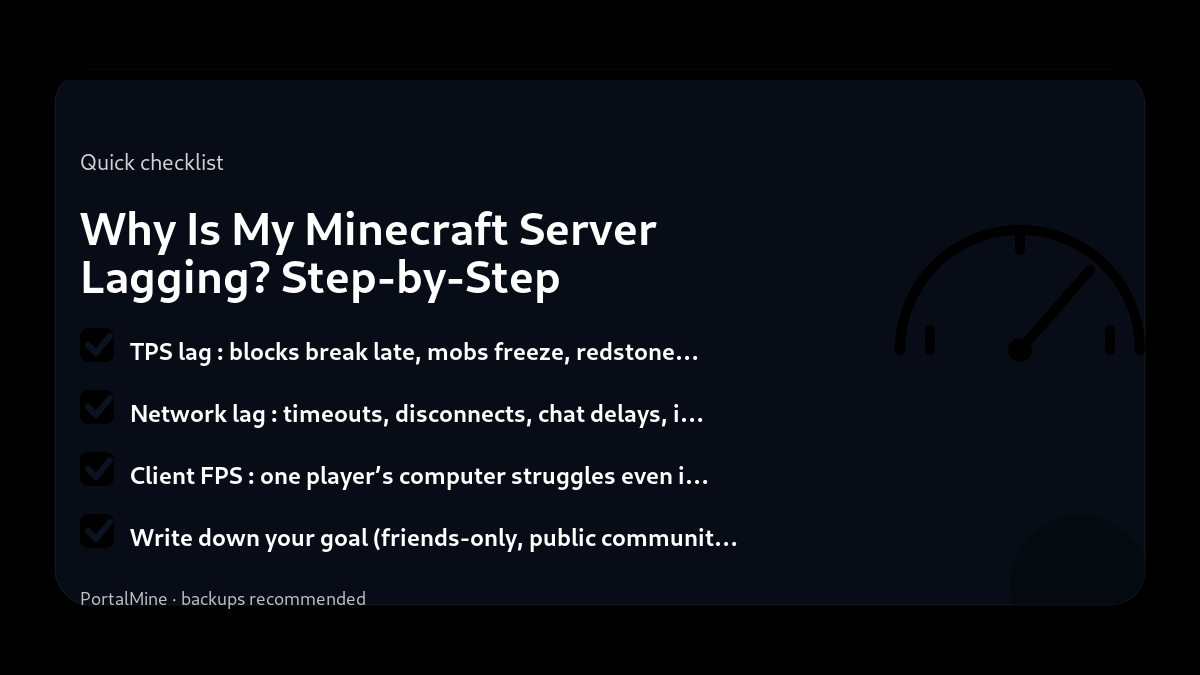
- TPS lag: blocks break late, mobs freeze, redstone delays, rubber-banding.
- Network lag: timeouts, disconnects, chat delays, inconsistent movement.
- Client FPS: one player’s computer struggles even if the server is fine.
2) If TPS is low
Common causes include high view distance, expensive chunk generation, entity overload (farms/villagers), and heavy plugin/mod logic. Change one variable at a time and retest.
3) If TPS is fine but players lag
Look at network quality: packet loss is often worse than high ping. Compare multiple players in different regions and observe patterns (only one player vs everyone).
4) Avoid the “restart myth”
Restarts can temporarily mask memory pressure, but they do not fix overloaded tick workload. Fix the cause, not the symptom.
5) PortalMine benefit
A clear panel and reliable status visibility reduce troubleshooting noise so you can focus on logs and controlled testing.
Bottom line: diagnose first, then adjust one variable at a time.
Practical checklist
- Write down your goal (friends-only, public community, modded pack, minigames).
- Start with the simplest configuration that meets that goal.
- Document every change you make (date + what + why).
- Test with a small group before you announce it publicly.
Common mistakes to avoid
- Installing too many plugins/mods at once, then not knowing what caused problems.
- Changing ten settings at the same time instead of one variable per test.
- Giving operator access too widely (a fast path to griefing and accidents).
- Running without backups or relying on “I’ll remember to back up later”.
PortalMine tip
If you’re using PortalMine, keep your onboarding simple: link your players to one message that includes the server address, version, and a short rules page. Then link the FAQ for quick fixes and the Status page for maintenance updates. Clear, stable information reduces “support spam”.
Practical checklist
- Write down your goal (friends-only, public community, modded pack, minigames).
- Start with the simplest configuration that meets that goal.
- Document every change you make (date + what + why).
- Test with a small group before you announce it publicly.
Common mistakes to avoid
- Installing too many plugins/mods at once, then not knowing what caused problems.
- Changing ten settings at the same time instead of one variable per test.
- Giving operator access too widely (a fast path to griefing and accidents).
- Running without backups or relying on “I’ll remember to back up later”.
PortalMine tip
If you’re using PortalMine, keep your onboarding simple: link your players to one message that includes the server address, version, and a short rules page. Then link the FAQ for quick fixes and the Status page for maintenance updates. Clear, stable information reduces “support spam”.
Practical checklist
- Write down your goal (friends-only, public community, modded pack, minigames).
- Start with the simplest configuration that meets that goal.
- Document every change you make (date + what + why).
- Test with a small group before you announce it publicly.
Common mistakes to avoid
- Installing too many plugins/mods at once, then not knowing what caused problems.
- Changing ten settings at the same time instead of one variable per test.
- Giving operator access too widely (a fast path to griefing and accidents).
- Running without backups or relying on “I’ll remember to back up later”.
PortalMine tip
If you’re using PortalMine, keep your onboarding simple: link your players to one message that includes the server address, version, and a short rules page. Then link the FAQ for quick fixes and the Status page for maintenance updates. Clear, stable information reduces “support spam”.
Practical checklist
- Write down your goal (friends-only, public community, modded pack, minigames).
- Start with the simplest configuration that meets that goal.
- Document every change you make (date + what + why).
- Test with a small group before you announce it publicly.
Common mistakes to avoid
- Installing too many plugins/mods at once, then not knowing what caused problems.
- Changing ten settings at the same time instead of one variable per test.
- Giving operator access too widely (a fast path to griefing and accidents).
- Running without backups or relying on “I’ll remember to back up later”.
PortalMine tip
If you’re using PortalMine, keep your onboarding simple: link your players to one message that includes the server address, version, and a short rules page. Then link the FAQ for quick fixes and the Status page for maintenance updates. Clear, stable information reduces “support spam”.
Practical checklist
- Write down your goal (friends-only, public community, modded pack, minigames).
- Start with the simplest configuration that meets that goal.
- Document every change you make (date + what + why).
- Test with a small group before you announce it publicly.
Common mistakes to avoid
- Installing too many plugins/mods at once, then not knowing what caused problems.
- Changing ten settings at the same time instead of one variable per test.
- Giving operator access too widely (a fast path to griefing and accidents).
- Running without backups or relying on “I’ll remember to back up later”.
Quick FAQ
TPS is fine but lag exists—why?
Most common TPS drop cause?
What’s the best first fix?
Try it on PortalMine
Want to apply this fast? Start on PortalMine: create a server, get your connect address, and manage it from a simple panel. Use Home, then read How it works, and keep an eye on Status.
Key takeaways
- Most lag is CPU‑related (ticks). Reduce view‑distance and entity counts first.
- Paper/Purpur can cut lag significantly on SMP servers.
- Plugins/mods can be the cause—disable them one by one to find the culprit.
- Start simple: change one setting at a time and test.
- Keep backups before major changes (updates, plugins, or modpacks).
Practical checklist
- Confirm your Minecraft edition and server version.
- Keep a copy of configs before changing anything.
- Restart after major changes and test with one player first.
- Watch console/logs for warnings and plugin errors.
FAQ
What should I change first to reduce lag?
Lower view‑distance/simulation‑distance and reduce entities.
Do more players always mean more lag?
Often yes, but the main factor is what they do (entities/chunks/redstone).
Is RAM the main cause of lag?
Not usually—CPU tick time is more common. RAM matters for modpacks and caching.
Ready to try it?
Create your server, pick the right version, and invite friends. If you’re new, start with the How it works page. For limits and upgrade options, see Plans & limits.