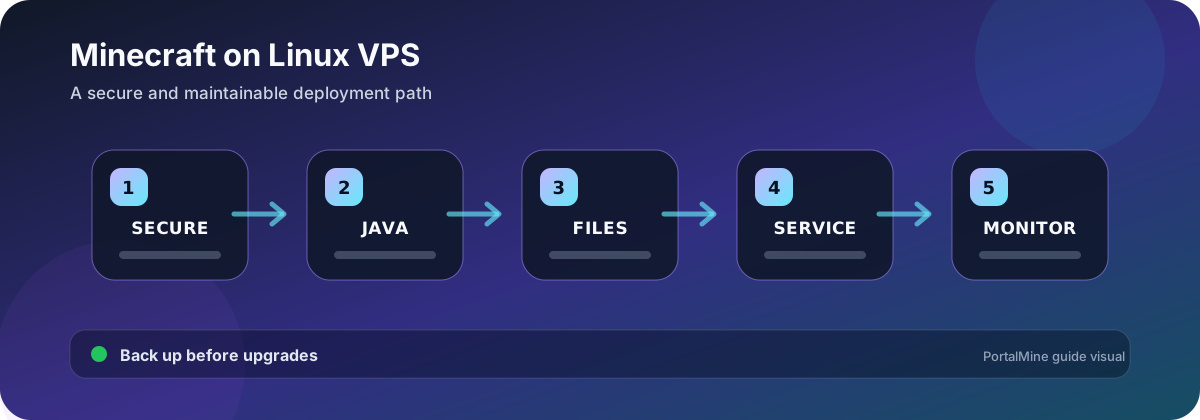
PortalMine workflow diagram. Verify software-specific values against the current official documentation before changing a production server.
Know what a VPS adds
A VPS gives operating-system control, but it also makes you responsible for updates, users, firewall rules, storage, backups, monitoring, and process supervision. Managed panels reduce routine work; a raw VPS is useful when you need software or networking control and can maintain Linux safely.
Run the server as a dedicated non-root user
Create a service account with access only to the server directory. Avoid running Minecraft as root. Keep server files under a predictable path, set ownership deliberately, and store backups outside the live directory so a bad script or deletion does not remove both copies.
Install the Java version required by the server release
Check the exact Minecraft, Paper, Fabric, or Forge documentation. Confirm with java -version and use an explicit Java path in the service when multiple runtimes are installed. A nearby Java version is not automatically compatible.
Open only the required protocol and port
| Server type | Typical transport | Firewall lesson |
|---|---|---|
| Java Edition | TCP | Allow the assigned Java port, not every port |
| Bedrock Edition | UDP | A TCP-only rule does not make Bedrock reachable |
| Panel or SSH | TCP | Restrict administration ports and use strong authentication |
| Proxy network | TCP plus internal forwarding | Protect backend ports from direct public access |
The exact port can differ from defaults. Use the assigned value in the server configuration and hosting platform. Test from outside the VPS network; localhost success does not prove public reachability.
Use process supervision
A system service or hosting daemon should start the correct command, run as the dedicated user, use the correct working directory, stop gracefully, and write logs. Avoid fragile terminal sessions for a production community. Set restart behavior carefully so a crash loop does not consume resources or overwrite evidence.
Separate backup creation from backup verification
Automate copies only after you can restore one manually. Keep multiple generations, record software and mod versions, and copy at least one generation to a different system or storage account. Monitor free space so backup jobs do not fill the disk and crash the server.
Minimum Linux security routine
- Apply operating-system security updates.
- Use SSH keys and disable password login where appropriate.
- Do not expose database, panel-agent, or backend ports publicly without need.
- Run the server as a non-root account.
- Review authentication logs and unexpected processes.
- Keep plugins, mods, and server software from trusted project sources.
When a panel is the better choice
Use a managed service such as PortalMine when you value guided server creation, allocated resources, status controls, and fewer operating-system responsibilities. Use a VPS when you need root-level control and are prepared to maintain the complete host.
Frequently asked questions
Do I need a VPS to run a Minecraft server?
No. A managed host or panel can provide the server without requiring Linux administration.
Should Minecraft run as root?
No. Use a dedicated non-root service account with limited file access.
Which Java version should I install?
Use the version required by the exact Minecraft and server software release.
Why can I connect locally but not publicly?
Check public IP routing, provider firewall, Linux firewall, listening address, protocol, and assigned port.
Is opening the default port enough?
Only if the server actually uses that port. Hosted servers frequently assign a specific port.
Should I use screen or tmux forever?
They are useful tools, but a supervised service provides clearer startup, shutdown, and restart behavior for production.
How much RAM should the VPS have?
It depends on software, mods, players, chunks, and overhead. Leave memory for Linux and Java outside the heap.
Where should backups be stored?
Keep local generations outside the live server directory and at least one copy on a different system or storage provider.
Official references and further reading
- Official Java server download — Official Java server baseline and command-line note.
- Paper getting started — Official Paper launch and configuration workflow.
- Paper JVM guidance — Official memory-overhead and JVM flag considerations.