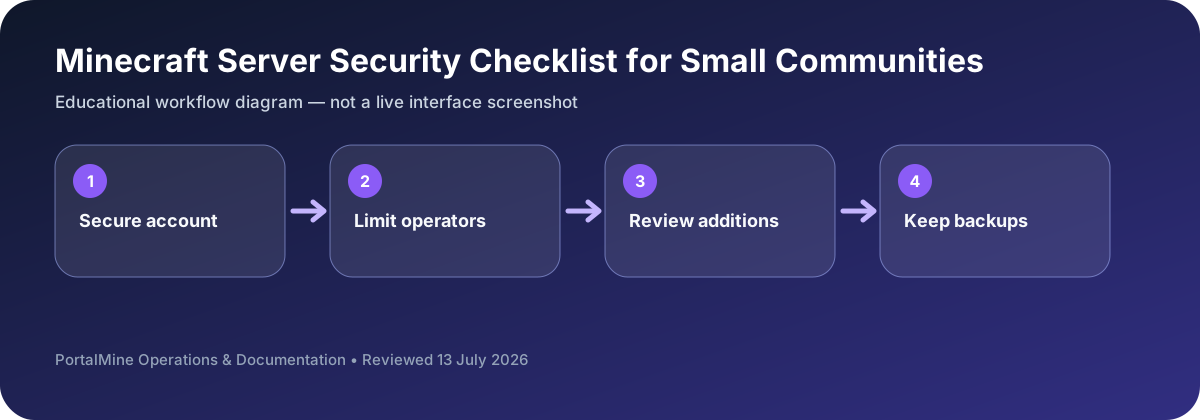
This is an educational workflow diagram based on PortalMine’s documented interface and common Minecraft administration steps; it is not a live dashboard screenshot.
1) Security is mostly about basics
Most server disasters are caused by simple issues: operator access given too widely, weak passwords, no backups, or no protection tools on public servers. You do not need “enterprise security” to be safe—you need consistent fundamentals.
2) Limit operator/admin access
Only give operator access to fully trusted accounts. Separate roles where possible (admin vs moderator). Remove OP from accounts that do not need it daily.
3) Private vs public strategy
For friends-only servers, whitelisting can eliminate most random griefing attempts. For public servers, you need protection tools (claims/regions) and change logging to roll back griefing.
4) Backups are the ultimate safety net
Backups protect you from corruption, deletes, and mistakes. Use rotation and keep more than one copy when possible.
5) PortalMine clarity advantage
Clear onboarding and documentation reduce admin mistakes. Link your FAQ and status page so players know where to look before they spam chat with repeated questions.
Bottom line: limited OP, whitelisting when appropriate, protection/logging for public servers, and reliable backups prevent most disasters.
Use least privilege from the beginning
Most small-server incidents do not require advanced hacking. They begin with shared passwords, too many operators, unreviewed plugin files, or no usable backup. Give each person only the access needed for their role and remove access when it is no longer required.
Keep the hosting account separate from ordinary play accounts, use a unique password, and verify recovery email access. When support is needed, share only the minimum log lines or screenshots required to explain the problem.
Decision table
| Area | What to check | Why it matters |
|---|---|---|
| Hosting account | Unique password and verified recovery method | Protects panel access and server controls. |
| Operator list | Only trusted administrators | Limits destructive commands and permission abuse. |
| Plugins/mods | Known source, compatible version, one-at-a-time testing | Reduces malicious or unstable additions. |
| Backups | Multiple recent copies, including one downloaded copy | Provides recovery after mistakes or compromise. |
Questions server owners ask
Should every moderator be an operator?
No. Use narrower permissions when the software supports them.
Is a whitelist enough security?
It helps control joining, but account security, backups, and limited admin access are still necessary.
How often should access be reviewed?
After team changes and periodically during normal maintenance.