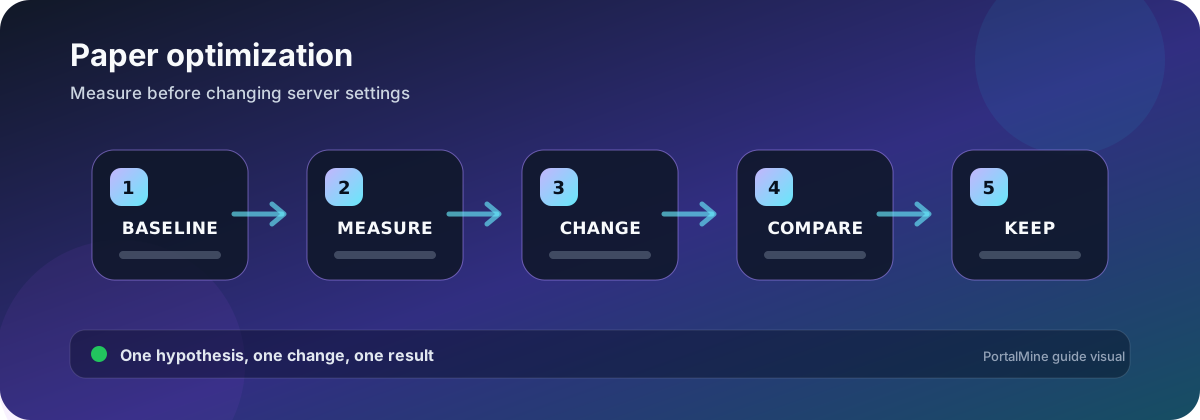
PortalMine workflow diagram. Verify software-specific values against the current official documentation before changing a production server.
Create a baseline before tuning
Optimization without a baseline becomes guesswork. Record the Paper build, Minecraft version, Java runtime, allocated memory, player count, view distance, simulation distance, plugin list, world size, and a representative period of activity. The goal is not to produce one impressive idle number; it is to understand the workload that actually causes delay.
Begin with a backup and a short change log. If an adjustment improves one metric but changes gameplay in an unacceptable way, you need a clear rollback path.
Read TPS and MSPT together
TPS describes how quickly game ticks are completing. MSPT describes how much time each tick consumes. A server can look healthy while idle and fall behind when players generate chunks, activate farms, or trigger plugin tasks. Compare measurements during the same workload.
| Observation | Likely direction | Useful next test |
|---|---|---|
| TPS drops while new terrain is explored | Chunk generation or storage pressure | Pregenerate a test area or compare already-generated chunks |
| TPS drops near a farm or trading hall | Entity and block-entity work | Count entities, reduce loaded activity, and test the same area |
| Spikes repeat on a schedule | Plugin task, save, backup, or scan | Match the spike timestamp to logs and scheduled jobs |
| Memory rises but MSPT stays normal | Caching or workload growth | Observe over a longer window before changing heap |
| Players report delay while TPS is stable | Network route or client issue | Compare multiple players and packet loss |
Control chunk work
View distance affects how much world data is sent to players. Simulation distance affects how much active game logic runs around them. Increasing either value changes CPU, memory, storage, and network demand. Use the lowest values that still fit the community’s gameplay expectations, then test exploration separately from activity in generated areas.
Treat entities as a workload, not a count alone
Two areas with the same entity count can have very different cost. Villager pathfinding, item movement, minecarts, redstone, hoppers, and farms can create concentrated tick work. Identify location, type, and behavior before applying a global limit that might damage gameplay.
Isolate plugin cost
Update only from trusted sources and keep an inventory of each plugin’s purpose. When a new issue follows a plugin change, test a copied server without that plugin or configuration change. Do not remove several plugins at once unless you are deliberately using a binary-search method and recording each result.
Avoid the “more RAM fixes everything” assumption
Memory prevents some allocation failures and gives the JVM room for the world and extensions, but high tick time is often CPU workload, chunk generation, storage, or plugin logic. Leave memory for the host and Java overhead; allocating the entire container limit can create a different failure.
A safe tuning workflow
- Back up the server and export current configuration.
- Measure one representative workload.
- Choose one hypothesis, such as chunk generation or entity activity.
- Change one setting or component.
- Restart only if required.
- Repeat the same workload and compare.
- Keep the change only if the result and gameplay are both acceptable.
Common mistakes
- Testing only while nobody is online.
- Copying a configuration from a different version without reading its reference.
- Using restart schedules to hide a persistent tick problem.
- Allocating all available RAM to the heap.
- Changing gameplay mechanics before explaining the tradeoff to players.
Frequently asked questions
Should I copy a popular “optimized” configuration?
Use it only as a list of hypotheses. Paper settings change across versions and communities value different mechanics. Read the current reference and test each meaningful change.
Is 20 TPS always enough to prove the server is healthy?
No. Measure during representative activity and inspect MSPT or timing data. Brief spikes and network issues may not appear in a simple TPS snapshot.
Does Purpur automatically perform better than Paper?
Purpur is Paper-derived and adds configuration options, but performance depends on workload and settings. Choose by required features, then measure.
Should I reduce view distance or simulation distance first?
Decide which workload is dominant. View distance affects chunks sent to players; simulation distance affects active logic. Change one, test, and record the gameplay impact.
Can a plugin cause lag even with few players?
Yes. Scheduled tasks, scans, database work, chunk operations, or errors can be expensive regardless of player count.
How often should I restart?
Restart when software or a setting requires it, or as part of a documented maintenance plan. Do not use restarts as the only response to an unidentified performance problem.
What should I back up before tuning?
Worlds, plugin data, configuration files, the plugin list, software version, and a note of the current startup command.
Where should I begin if the server suddenly became slow?
Start with the exact time and the most recent change, then compare logs, player activity, new chunks, scheduled jobs, and plugin updates.
Official references and further reading
- PaperMC basic troubleshooting — Official diagnostic guidance before reporting a server or plugin problem.
- Paper server.properties reference — Current property names and descriptions.
- PaperMC Aikar’s flags page — Official memory and JVM flag guidance, including host overhead cautions.