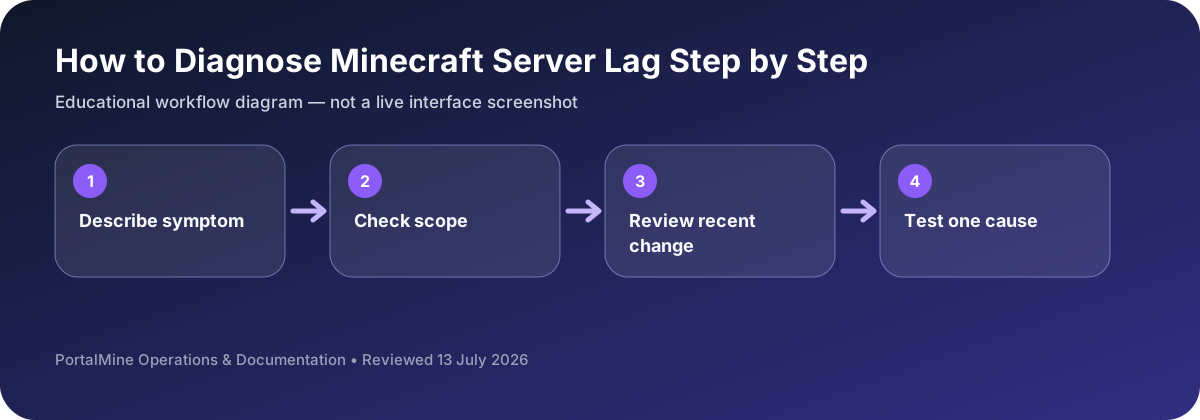
This is an educational workflow diagram based on PortalMine’s documented interface and common Minecraft administration steps; it is not a live dashboard screenshot.
1) First define what “lag” means
Players use “lag” to describe different issues. If you do not identify the symptom correctly, you will fix the wrong thing.
- TPS lag: blocks break late, mobs freeze, redstone delays, rubber-banding.
- Network lag: timeouts, disconnects, chat delays, inconsistent movement.
- Client FPS: one player’s computer struggles even if the server is fine.
2) If TPS is low
Common causes include high view distance, expensive chunk generation, entity overload (farms/villagers), and heavy plugin/mod logic. Change one variable at a time and retest.
3) If TPS is fine but players lag
Look at network quality: packet loss is often worse than high ping. Compare multiple players in different regions and observe patterns (only one player vs everyone).
4) Avoid the “restart myth”
Restarts can temporarily mask memory pressure, but they do not fix overloaded tick workload. Fix the cause, not the symptom.
5) PortalMine benefit
A clear panel and reliable status visibility reduce troubleshooting noise so you can focus on logs and controlled testing.
Bottom line: diagnose first, then adjust one variable at a time.
Use symptoms to choose the next test
“Lag” can describe several unrelated problems. If every player sees frozen mobs and delayed block actions, investigate server tick time. If one player has movement corrections while others are fine, inspect that player’s route or connection. If only graphics are slow, the client’s frame rate may be the real issue.
Write down when the problem starts: immediately after startup, during exploration, near a farm, after a plugin update, or only when many players join. A timestamp and a repeatable trigger are more useful than repeated restarts.
Decision table
| Area | What to check | Why it matters |
|---|---|---|
| Delayed blocks for everyone | Low TPS or overloaded simulation | Check entities, chunks, farms, and recent plugins. |
| One player rubber-bands | Player-specific network path or client issue | Compare another network and another player. |
| Low FPS only | Client rendering load | Reduce client graphics settings; server changes may not help. |
| Lag after a change | Compatibility or configuration regression | Roll back the most recent change and retest. |
Questions server owners ask
What should I remove first?
Start with the most recent plugin, mod, configuration, or world change.
Can high view distance cause lag?
Yes. It increases the number of chunks the server must keep active for players.
Why do farms matter?
Large numbers of entities and frequent block updates can consume substantial tick time.