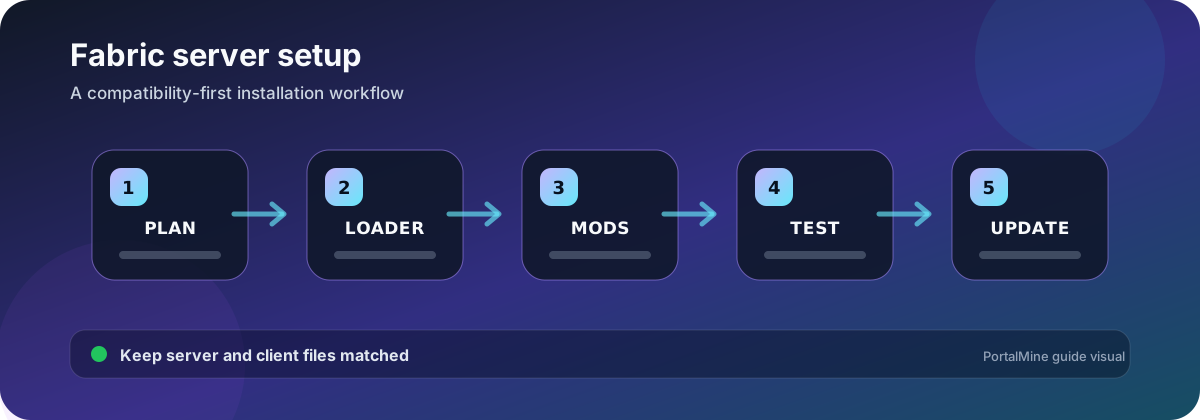
PortalMine workflow diagram. Verify software-specific values against the current official documentation before changing a production server.
Start with the required mod list
Fabric is a loader and toolchain, not a promise that every mod works together. Write down the exact Minecraft version, Fabric Loader version, Fabric API requirement, server-only mods, client-only mods, and mods that must be present on both sides. The required gameplay mods should choose the Minecraft version, not the other way around.
Create a compatibility manifest
| Item | Record | Why it matters |
|---|---|---|
| Minecraft | Exact release | A minor version difference can block startup or connection |
| Fabric Loader | Exact loader build | Some mods set a minimum loader version |
| Fabric API | Version or not required | Many Fabric mods depend on it |
| Java runtime | Major version and architecture | The server cannot start if bytecode requires a newer runtime |
| Mods | Filename, project URL, version, side | Prevents missing or mismatched client files |
| Configuration | Files copied to clients or server only | Some packs require matching config behavior |
Installation workflow
- Back up the existing world or start with an empty test directory.
- Install the Fabric server loader for the selected Minecraft version.
- Start once to generate files, then accept the EULA where required.
- Add Fabric API only when the mod list needs it.
- Upload server-required mods in small batches.
- Read the first error, not only the final “server stopped” line.
- Join with a client built from the same manifest.
Separate server-only and required client mods
Performance and administration mods may run only on the server. Content mods that add blocks, items, entities, networking, or registries usually require matching client files. Do not tell players to install every server file blindly: some server-side tools have no client purpose, and client-only visual mods do not belong on the server.
Update a copy first
Copy the world, mods, configuration, and version manifest into a test environment. Update the loader, API, and mods only when their compatibility notes support the target Minecraft release. Launch, inspect warnings, join, visit multiple dimensions, and test modded inventories before replacing production.
Common failure patterns
- Missing dependency: install the dependency and exact supported version listed in the error.
- Mod resolution failed: compare loader, Minecraft, Java, and mod constraints.
- Registry mismatch: rebuild the client and server from the same manifest.
- Works in single-player but not server: check whether the mod supports dedicated servers.
- Crash after update: restore the test copy, then update smaller groups.
Operational checklist
Keep the manifest beside every backup, preserve config files, and record mod removals. Removing a content mod from an active world can delete or invalidate blocks, items, entities, dimensions, and saved data.
Frequently asked questions
Do all players need Fabric Loader?
Only when the server uses mods that require matching client code. Server-only mods can often be used by Vanilla clients, but verify each project’s documentation.
Is Fabric API always required?
No. It is a common dependency, but install it only when required by the selected mods.
Can I use Forge mods on Fabric?
Not directly. Fabric and Forge use different loaders and APIs unless a specific compatibility project explicitly supports the mod and version.
Why does the server say a dependency is missing?
The mod metadata lists another mod, API, or loader version that must be installed. Read the complete dependency chain in the error.
Can I update only Fabric Loader?
Sometimes, but test first. Mods may define minimum or maximum loader and Minecraft versions.
Should I upload client-only optimization mods to the server?
No unless the project documents dedicated-server support. Client-only rendering and interface mods can crash a server.
How do I share the correct pack with players?
Publish a versioned manifest or launcher profile with filenames and checksums, and keep the server copy aligned.
What is the safest way to remove a content mod?
Test removal on a backup, read the project’s migration notes, and expect saved blocks or items to be affected.
Official references and further reading
- Fabric Documentation — Official curated Fabric documentation.
- Installing Fabric — Official installation workflow.
- Installing mods — Official player-side mod installation guidance.