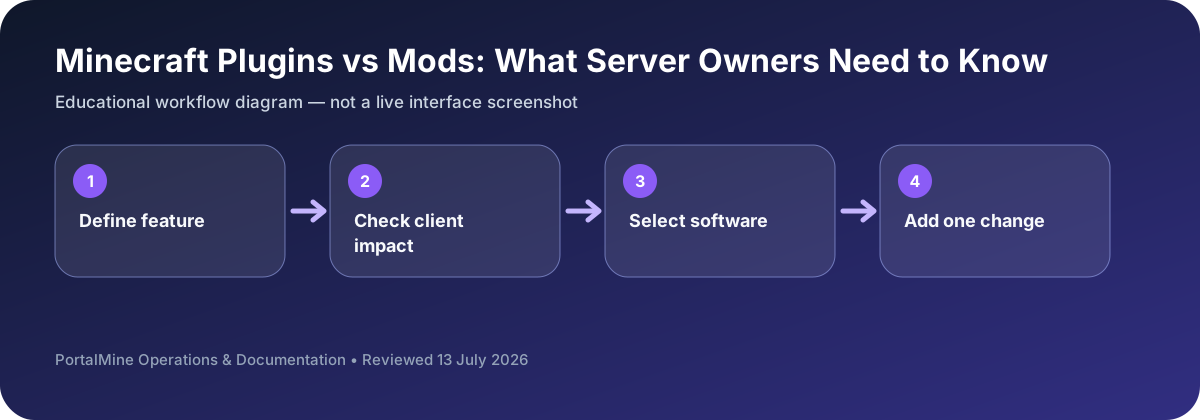
This is an educational workflow diagram based on PortalMine’s documented interface and common Minecraft administration steps; it is not a live dashboard screenshot.
1) The clean separation
- Plugins extend server behavior and usually do not require players to install anything.
- Mods can change gameplay deeply and often require client-side installs.
2) Why plugins are the default for public servers
Plugins are ideal for permissions, protection/claims, economy, chat moderation, and event systems because joining is frictionless. That matters for growth.
3) When mods are worth the complexity
Mods shine when you want a curated, different Minecraft: tech packs, magic systems, new dimensions, and custom progression. The cost is version matching and heavier maintenance.
4) Recommended progression
- Launch stable survival with essential admin tools.
- Build trust and consistency.
- Later, add deeper changes or run a separate modded server.
5) PortalMine fit
PortalMine is a strong starting point for plugin-first communities because it reduces setup friction and supports iterative learning.
Bottom line: plugins optimize accessibility; mods optimize deep gameplay change.
Start with the player experience you want
If the goal is moderation, permissions, homes, economy, or minigame logic while keeping a mostly standard client, plugins are usually the simpler route. If the goal is new blocks, machines, biomes, or deep gameplay systems, mods may be necessary and players often need matching client files.
Whatever you choose, install one addition at a time. Start the server, read the log, join, use the feature, restart, and confirm the world loads again. This routine turns a vague compatibility failure into a change you can identify and reverse.
Decision table
| Area | What to check | Why it matters |
|---|---|---|
| Player installation | Usually no client install for server plugins | Often requires matching client mods |
| Typical features | Permissions, moderation, utilities, minigames | New content, mechanics, blocks, dimensions |
| Server software | Paper/Purpur and related ecosystems | Fabric, Forge, or another loader |
| Maintenance | Plugin/API version checks | Loader, mod, dependency, and client version checks |
Questions server owners ask
Can a plugin add new blocks to every client?
Traditional server plugins are limited by what the unmodified client can display and understand.
Are mods always harder?
They usually add more coordination because client files and dependencies must match.
What is the safest installation pattern?
One change, one restart, one test, and one written note at a time.