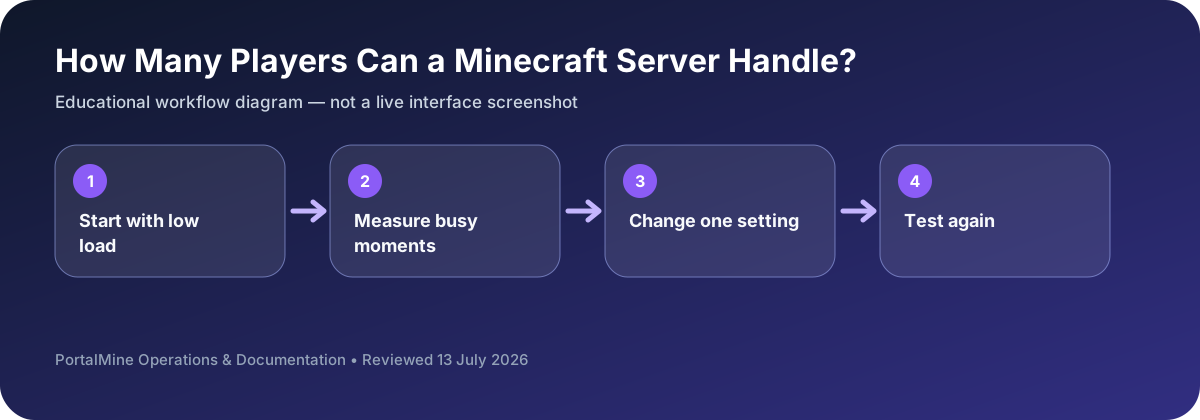
This is an educational workflow diagram based on PortalMine’s documented interface and common Minecraft administration steps; it is not a live dashboard screenshot.
1) Capacity is workload, not just RAM
Server capacity is the highest player count where the server still simulates the game smoothly. Many people try to reduce this to “players per GB RAM,” but the main bottleneck for Minecraft servers is usually CPU tick time. RAM matters (too little memory causes stutter and frequent garbage collection), but a server with “enough” RAM can still lag if the tick loop is overloaded.
2) The capacity drivers you can actually control
- View distance and simulation distance: more chunks per player means more work per tick.
- Chunk generation: exploration generates new chunks and is CPU-expensive.
- Entity counts: mobs, villagers, item drops, and farms are heavy.
- Plugins/mods: each add-on can add per-tick work; quality matters.
- Player behavior: events (everyone in one region) create density spikes.
3) A practical way to estimate capacity
Start with a small group and measure. Increase players gradually and observe when TPS begins to drop under normal play. Capacity is not the number you want; it is the number you can sustain while keeping the server stable and enjoyable.
4) Scaling without upgrading
Before upgrading resources, tune the big levers: reduce view distance slightly, reduce entity hotspots, avoid constant chunk generation, and audit heavy plugins. These steps often yield the highest benefit per minute of effort.
5) PortalMine workflow
PortalMine helps you reach the “test in real life” stage quickly: create a server, invite players, observe, tune, and repeat.
Bottom line: capacity is a function of tick budget and gameplay workload. Measure it, don’t guess it.
Build capacity from observed behavior
A capacity number is useful only when it describes a specific workload. Ten players standing near spawn are cheaper than ten players flying in different directions while generating terrain. Likewise, a small survival world with a few lightweight plugins can outperform a heavily automated world with fewer players.
Use staged testing: begin with two or three players, then increase gradually during normal gameplay. Record when delayed actions begin, what players were doing, and which settings changed. This produces a safer limit than copying a generic “players per gigabyte” chart.
Decision table
| Area | What to check | Why it matters |
|---|---|---|
| Exploration | High chunk generation and storage activity | Pre-generate important regions or limit simultaneous exploration. |
| Large farms | Many entities and block updates | Reduce entity buildup and review farm rules. |
| View distance | More chunks active per player | Lower gradually and compare playability. |
| Plugins/mods | Extra work during every tick | Remove or profile one addition at a time. |
Questions server owners ask
Does more RAM always support more players?
No. CPU tick time, world activity, storage, and plugin behavior can become the limit first.
What is the best test?
A controlled session that resembles real play, especially exploration and farms.
Should I change many settings at once?
No. Change one variable, test again, and keep notes so the result is understandable.