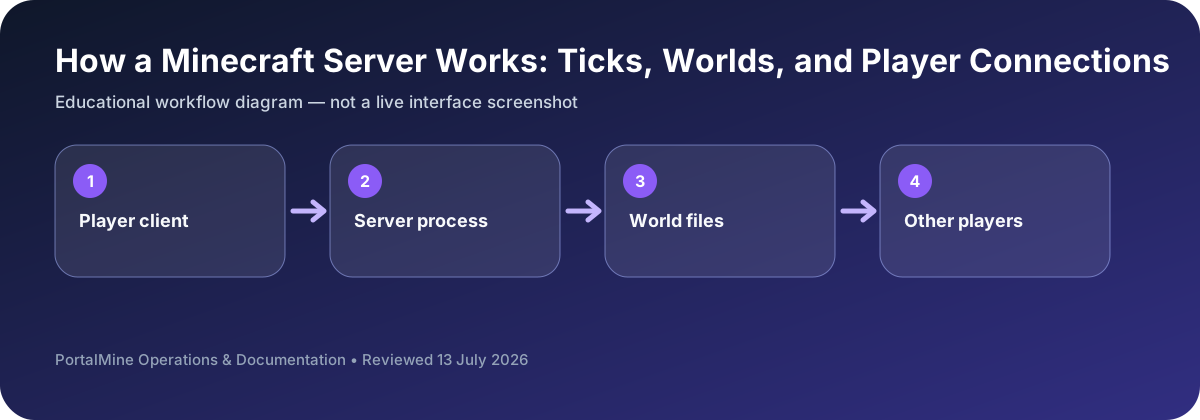
This is an educational workflow diagram based on PortalMine’s documented interface and common Minecraft administration steps; it is not a live dashboard screenshot.
1) A Minecraft server is the “source of truth”
When you play single-player Minecraft, your game client does almost everything: it simulates the world, updates mobs, runs redstone, and saves the world file. Multiplayer changes the architecture. A Minecraft server becomes the authoritative process that stores and updates the world state. Every placed block, broken block, inventory change, and entity movement is validated and committed by the server. Each player runs a client that is responsible mostly for rendering, UI, and sending input (movement, actions, and interactions) to the server.
This server-authoritative model matters because it explains both stability and fairness. If clients were fully authoritative, cheating would be much easier, and players would see inconsistent worlds. By letting the server decide what is “real,” everyone shares the same world state and the server can enforce rules, permissions, and anti-cheat checks.
2) Tick-based simulation: why TPS matters
Minecraft servers simulate the game in discrete time steps called ticks. Java servers typically aim for 20 ticks per second (TPS). Each tick, the server processes scheduled updates: entity AI decisions, physics checks, redstone updates, chunk activity, and any plugin/mod hooks. If the server cannot complete one tick within the available time, ticks start to take longer and TPS drops. Players experience this as “server lag”: delayed block breaking, mobs freezing, redstone behaving inconsistently, and rubber-banding movement.
TPS is therefore not a cosmetic number. It is a proxy for whether the server is keeping up with the simulation workload. Many performance issues are not “internet speed problems” at all—they are the tick loop being overloaded by too many chunks, entities, or expensive plugin/mod logic.
3) Networking basics: address, DNS, and ports
To join a server, the client needs an address. That address can be an IP (a numerical network location) or a domain (a human-friendly name). Domains are resolved to IP addresses through DNS. On top of that, players connect to a port—a “door” on the host that identifies the service. For Minecraft Java Edition, port 25565 is common. If a server runs on a different port, players must include it explicitly (for example: play.example.com:25566).
4) What hosting actually provides (and why it matters)
Hosting is not “a magical online world.” Hosting is providing compute and network resources that keep the server process running reliably. The most important components are:
- CPU: Minecraft is often sensitive to single-thread performance because the main simulation loop is heavily serialized.
- RAM: more memory helps caching and reduces garbage collection pressure, but it does not replace CPU capacity.
- Storage: SSD storage improves world save operations and chunk access. Slow storage can cause stutters.
- Network quality: latency and packet loss influence how smooth movement and interaction feel.
In practice, the “best” host is the one that matches your real workload and keeps tick time stable—especially during peak events when many players are online or exploring.
5) Client vs server responsibilities (clean separation)
A good mental model:
- Client: renders graphics, plays sounds, shows UI, predicts some movement locally to feel responsive, and sends player actions.
- Server: validates actions, runs game logic, stores world state, enforces permissions, and broadcasts updates to clients.
This separation also explains why “my FPS is low” is not always a server problem, and why “I have fast internet” does not guarantee the server will run well. A player can have excellent internet and still experience lag if TPS is low.
6) Where beginners usually get stuck
Most new server owners understand the concept but struggle with the workflow: selecting a server type, creating it, getting the correct join address, and learning how to control start/stop, configuration, and basic safety. This is where a beginner-friendly platform matters. If the panel is confusing, you waste time on interface problems instead of improving gameplay.
7) How PortalMine positions itself for new communities
PortalMine is designed for fast onboarding: a simple path to create a Minecraft server, share a connect address, and manage it through a web panel. For friends and small communities, this removes friction. Your first goal is not “perfect optimization”; it is a stable server that players can join reliably. Once you have that baseline, you can learn performance tuning, plugins, or modded setups step by step.
8) A realistic first-week checklist
- Confirm players can connect consistently and the version is correct.
- Play normally for 30–60 minutes and watch for lag patterns (exploration, farms, events).
- Plan backups and decide who has admin/operator power.
- Write a short rules page and a join guide to reduce repeated questions.
Bottom line: a Minecraft server is an authoritative simulation plus a network service. If you treat it like that—measure TPS, manage workload, and document changes—you’ll avoid most common hosting failures.
A practical first-session test
After creating a server, do not invite a large group immediately. Join by yourself, move at least a few hundred blocks from spawn, place and break blocks, open containers, and disconnect normally. Then ask one trusted player on another network to repeat the same actions. This separates a panel problem from a client-only problem and gives you a clean baseline before plugins, mods, farms, or large worlds add complexity.
During this test, note three things: whether the server state reaches online, whether the exact address works, and whether actions feel delayed. A server may appear reachable while its simulation is overloaded, so connection success alone is not enough.
Decision table
| Area | What to check | Why it matters |
|---|---|---|
| Server state | Installing → Starting → Online | Do not submit another creation request while installation is still running. |
| Simulation | Actions respond normally | Delayed block breaks can indicate low TPS. |
| Persistence | Changes remain after restart | Confirms the world is saving correctly. |
| Connection | Second player joins with the same details | Confirms the address is usable outside your own device. |
Questions server owners ask
Is low FPS the same as server lag?
No. FPS is mainly client rendering performance. Server lag usually appears as delayed actions, frozen entities, or rubber-banding.
Why does a server need a port?
The port identifies which network service should receive the connection. Bedrock users often need to enter it separately.
What should I test before adding plugins?
Basic joining, saving, restarting, and a second-player connection.