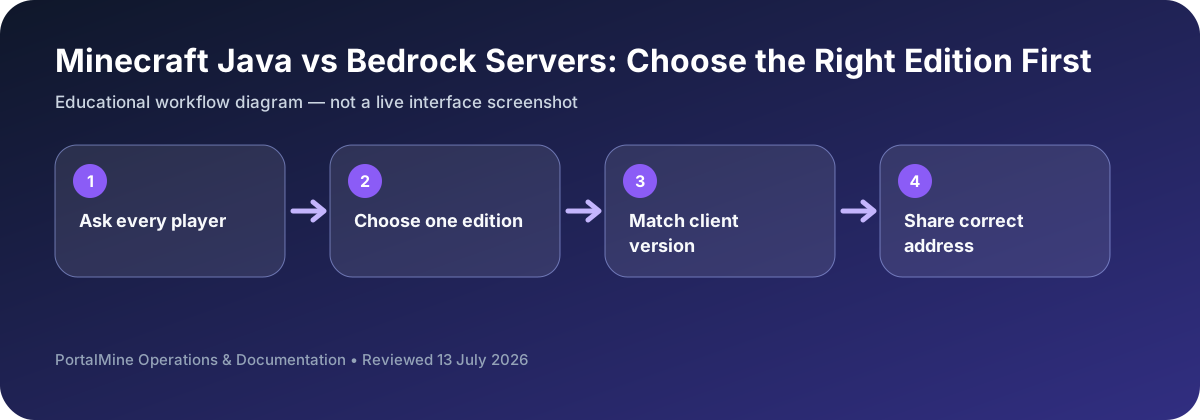
This is an educational workflow diagram based on PortalMine’s documented interface and common Minecraft administration steps; it is not a live dashboard screenshot.
1) Two editions, two multiplayer ecosystems
Minecraft Java Edition and Minecraft Bedrock Edition share the same brand and core gameplay loop, but their multiplayer ecosystems differ in important ways. Java is historically the PC-focused, community-driven ecosystem where server owners rely on a rich world of plugins and mods. Bedrock is designed for broad cross-platform play (mobile, consoles, and Windows), and the server experience tends to prioritize easy access for those clients.
2) Joining compatibility: who can actually connect?
Java servers are meant for Java clients (PC/Mac/Linux). If most of your players are on PC and you want the broadest server customization options, Java is usually the default choice.
Bedrock servers are meant for Bedrock clients (mobile/console/Windows). If your community includes many console or phone players, Bedrock often provides the most frictionless entry.
There are advanced setups that allow Bedrock players to join Java servers using bridging layers. These can work, but they add operational complexity and sometimes introduce feature limitations. For a first community server, the simplest rule remains: match your server edition to your player devices.
3) Customization: plugins and mods
Java’s biggest advantage is its customization ecosystem. For many public communities, plugins are the core toolset: permissions, protection/claims, economy, chat moderation, anti-cheat tools, and event systems. Mods are another layer: deep gameplay changes, new dimensions, new items, and custom progression systems. Mods often require players to install matching client mods, which increases onboarding friction.
Bedrock supports add-ons and behavior packs, but the culture and tooling differ. Many Bedrock communities keep configurations closer to the base experience, while Java communities frequently build heavily customized “server identities.”
4) Performance and tuning differences
Java server performance is often constrained by tick loop workload and CPU single-thread speed. Because so many people host Java servers, the community has produced extensive optimization practices: tuning view distance, controlling entity counts, choosing optimized server implementations, and auditing plugin performance. Bedrock servers can be efficient too, but the tuning practices and admin tooling are not identical.
5) Administration experience: why platform UX matters
Many new admins underestimate administration effort. A public server needs stable join instructions, clear rules, backups, and moderation. Even private servers benefit from simple management: start/stop, updates, and quick troubleshooting. A platform like PortalMine is valuable when it reduces setup overhead: create a server quickly, get a join address, and manage it from a simple panel without forcing beginners into confusing manual steps.
6) Decide based on community goals
Use a requirements-first decision:
- If your community expects heavy customization (ranks, economies, protection, events), and players are mostly on PC: Java is usually the best fit.
- If your community is mostly on mobile/console and wants easy access: Bedrock is usually the most practical choice.
- If your community is mixed: start with the edition the majority can join today, then consider bridging solutions later if you truly need them.
7) Practical onboarding template for either edition
No matter which edition you choose, most “I can’t join” messages come from unclear information. Publish a single join message:
- Server address (domain/IP) + port if needed
- Edition (Java/Bedrock) and version
- Short rules link and basic expectations
- FAQ link for common errors
This tiny effort reduces support noise dramatically and makes your server feel professional.
8) PortalMine positioning
PortalMine is designed for the “get online fast” stage. If you’re running Java, it helps you reach a working server with minimal friction, then grow into plugins and performance tuning. If you run Bedrock, the same principle applies: simplify onboarding and keep information stable.
Bottom line: Java vs Bedrock is not about which is “better.” It’s about compatibility and ecosystem fit: who needs to join, how much customization you want, and how much maintenance effort you can realistically handle.
Use the player list, not personal preference
The safest decision starts with a small inventory of the devices and editions used by every expected player. A server owner who plays on PC may prefer Java, but that choice fails if most friends use Bedrock on phones or consoles. Write down each player’s edition before creating anything.
Mixed-edition play can require compatibility software and additional maintenance. For a first server, one native edition is usually easier to support than a complex bridge.
Decision table
| Area | What to check | Why it matters |
|---|---|---|
| Typical devices | Windows, macOS, Linux PCs | Phones, tablets, consoles, Windows Bedrock |
| Join details | Address; port may be included | Address plus a separate port is common |
| Customization | Plugins and large mod ecosystems | Bedrock-compatible plugins and server software |
| Best beginner question | Do all players own Java? | Do most players use mobile or console? |
Questions server owners ask
Can Java players join a Bedrock server directly?
Not normally. Cross-play usually requires extra compatibility software and careful version support.
Which edition is easier for phones?
Bedrock is the native choice for mobile devices.
Can I convert later?
Changing editions can require world conversion and may not preserve every feature perfectly, so decide early.